 BlueGit
A graph that keeps its lanes
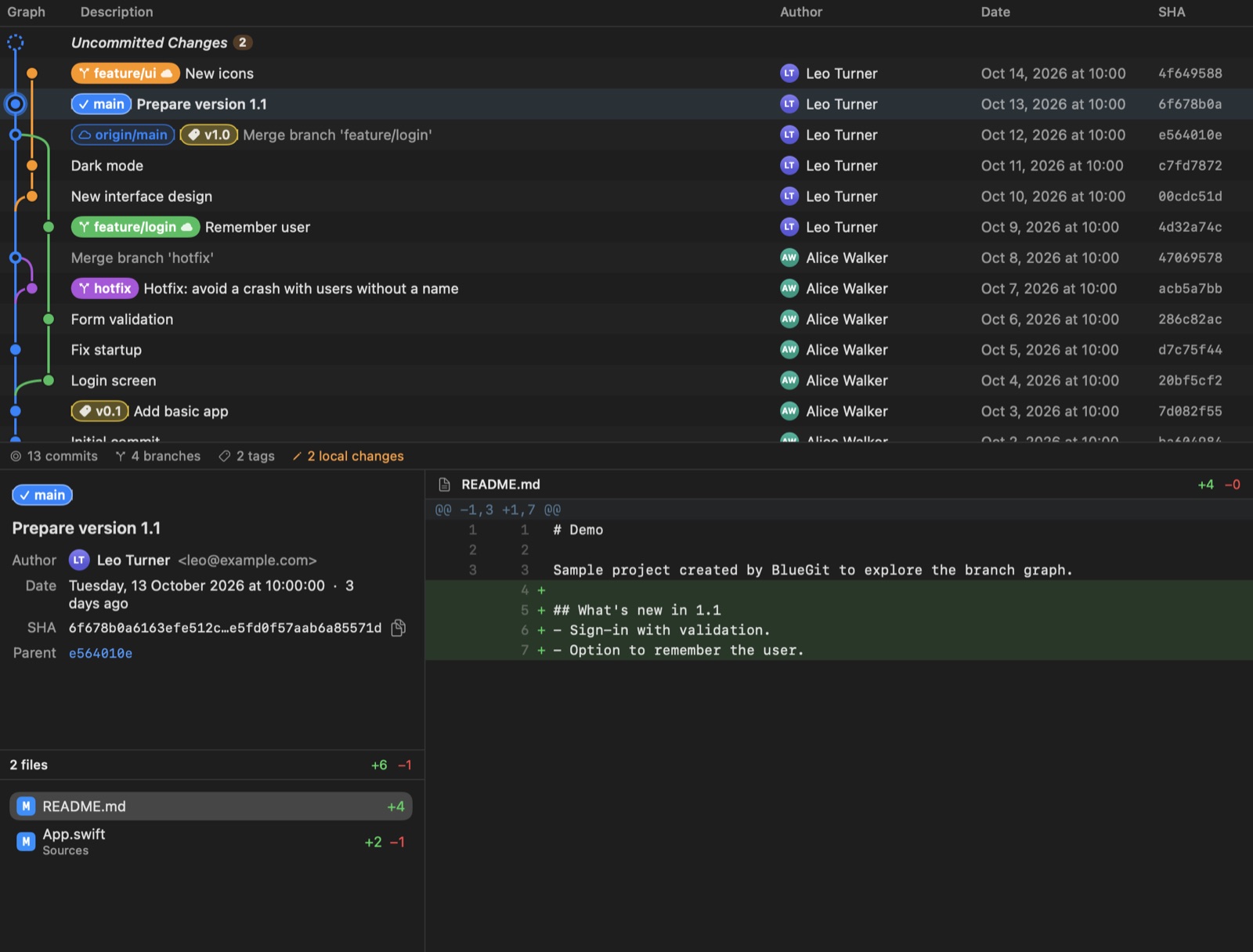
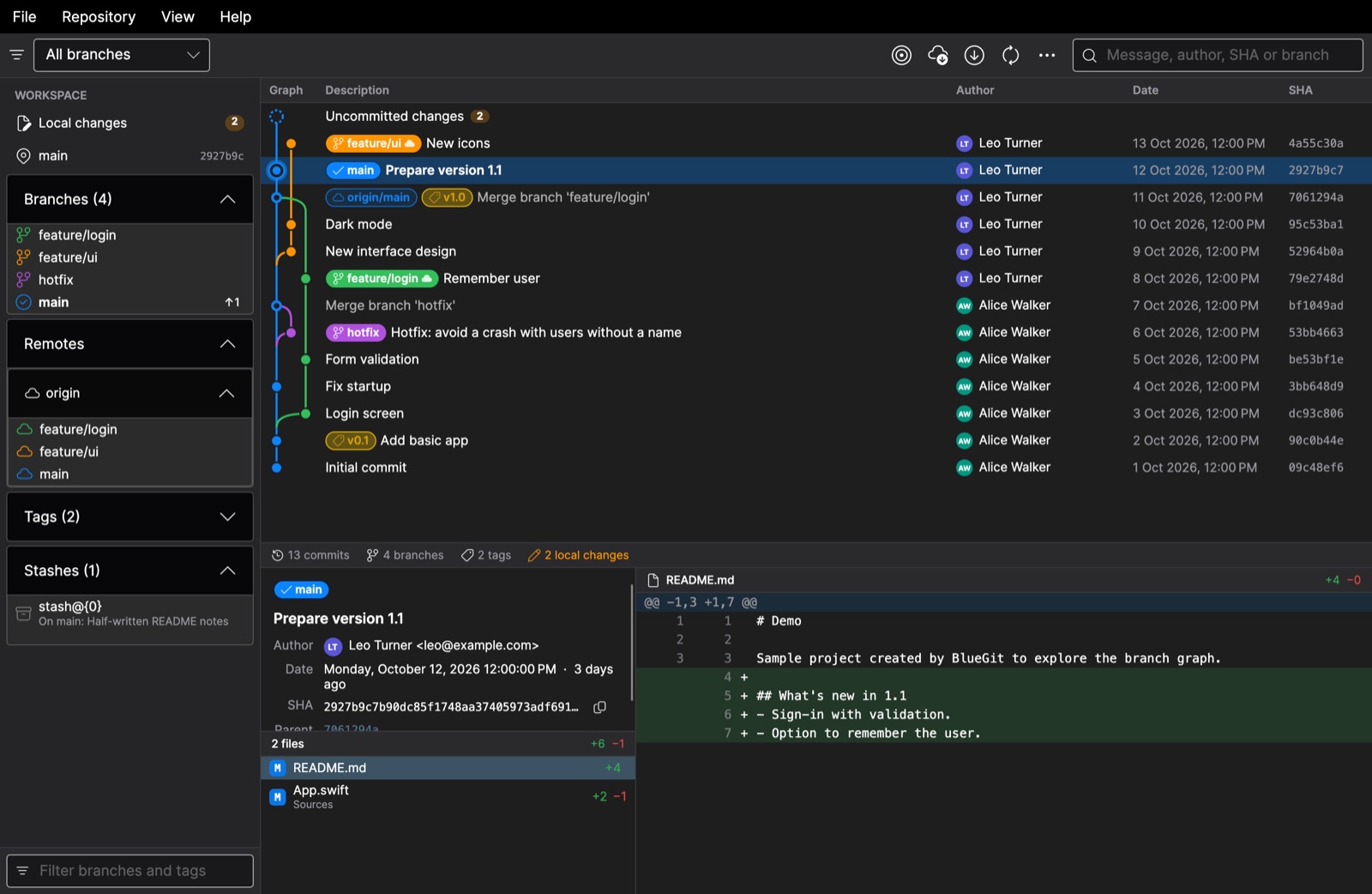
Every branch keeps its column and its color from the fork to the tip, so you can follow it without squinting. Merges, HEAD and uncommitted changes each have their own mark.
Git history viewer · macOS, Windows, Linux
BlueGit draws your Git history as a clear graph of branches and commits, with the diff of every change one click away.
For macOS 14 or later, Windows 10 and 11, and Linux. Uses the Git already on your computer.
Open any folder with a Git repository and BlueGit shows its whole story: who changed what, where each branch came from and where it ended up.
Every branch keeps its column and its color from the fork to the tip, so you can follow it without squinting. Merges, HEAD and uncommitted changes each have their own mark.
Message, author, parents and changed files, with a line-numbered diff. Double-click a file to open it, or open the version it had in that commit.
Uncommitted work appears at the top of the graph. See what is staged, unstaged or untracked, with its diff, and move files between groups with a click.
Search by message, author, email, SHA or branch name and step through the matches. Show all branches, only local ones, or just the history of the current one.
Fetch from every remote, pull with fast-forward only, check out branches and create branches or tags. BlueGit never merges or rewrites history on its own.
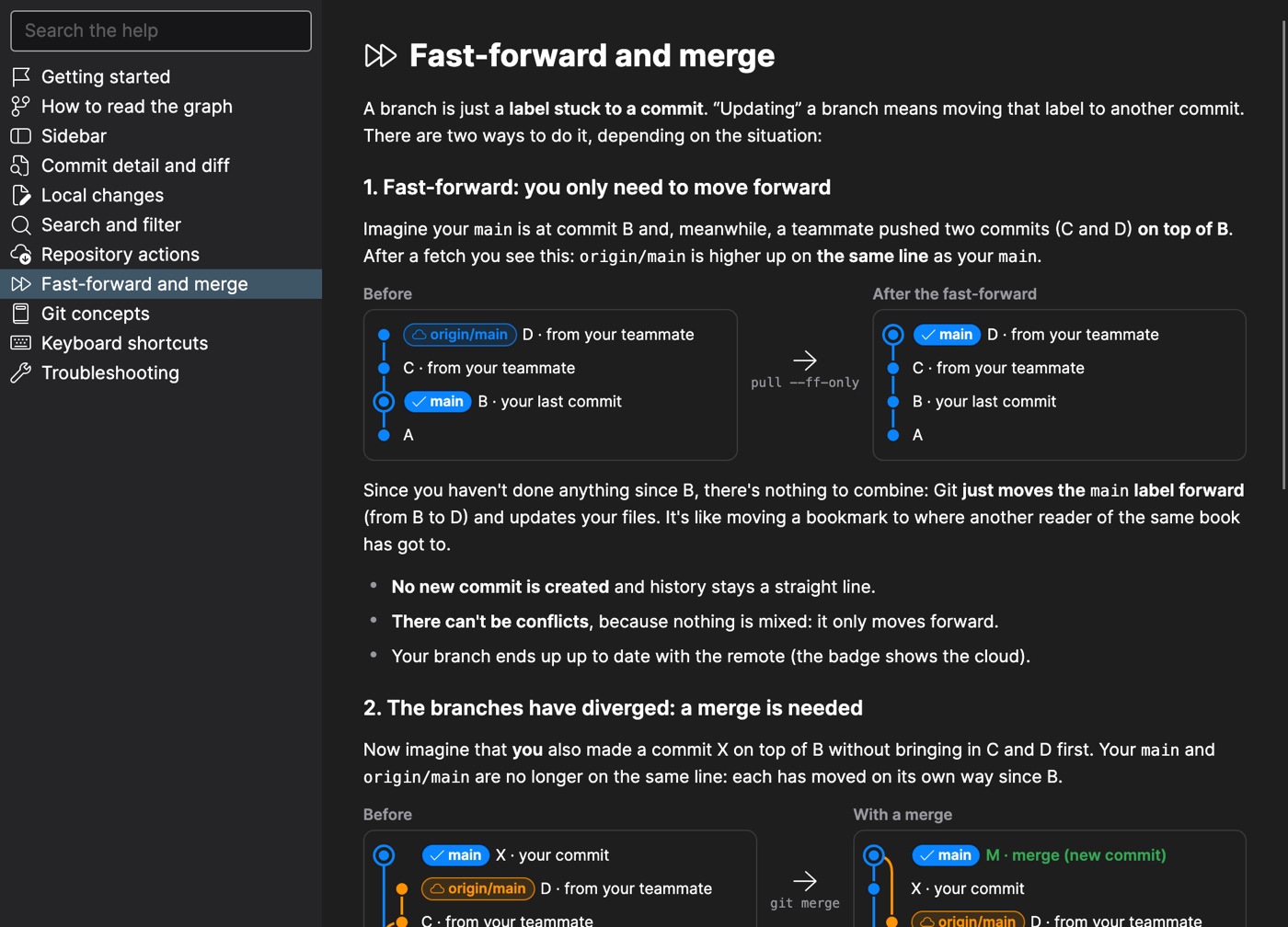
The built-in help explains HEAD, fast-forward and merge with live diagrams, and a demo repository lets you try every feature without touching a real project.
The Mac app is written in SwiftUI. The Windows and Linux version is built with .NET and Avalonia and has the same features.
The interface, the help and even the demo repository follow your system language. You can also pick one in View ▸ Language.
One download per platform. Open it, choose a folder with a Git repository, and the graph is there.
Version 1.0.0 · All versions and SHA-256 checksums
BlueGit uses the git command already installed on your computer. On a Mac without it, macOS offers to install the command line tools the first time you open a repository.